
Holiday Prize Ticket Redemption2027 Redemption Training
Training Paused
Holiday 2026 → Redemption 2027
Prize Ticket Redemption
A short, practical CenterEdge walkthrough for redeeming Lucky Launch prizes correctly.

IdentifyKnow the prize
RedeemUse the right CE discount
VerifyConfirm $0 before finish
Special Process1 Year Free Jump Pass uses a different setup and future-visit flow.
The Goal
When a guest brings in a Prize Ticket,know exactly what to do.
Training Paused
Recognize It First
Know the Prize Ticket

Every ticketIs a winner
ImportantPrize Ticket ≠ Bonus Value
Redemption WindowJAN 1 → MAR 31, 2027
Possible Prizes
30 Minute
Action Pass
Action Pass
1 Hour
Action Pass
Action Pass
20 Credit
Arcade Card
Arcade Card
Launch
Grip Socks
Grip Socks
1 Year Free
Jump Pass*
Jump Pass*
Jeffersonville Exception: Lucky Launch Prize Tickets there are only for a 20 Credit Arcade Card.
Before you touch CenterEdge: identify the prize shown on the ticket.
Training Paused
Standard Prize Redemption · Step 1
Ring In the Correct Prize
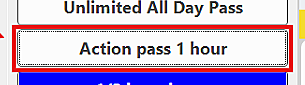 1 Hour Action Pass
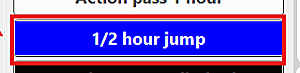 30 Minute / ½ Hour Jump
 Launch Grip Socks
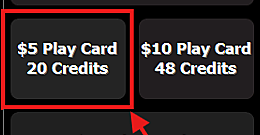 20 Credit Arcade Card
Ring the real item first.
The prize discount comes later. Start by putting the actual item the guest won on the order.
Action Pass?
Attach the guest’s waiver when CenterEdge prompts you.
Do not treat the ticket as:
✕ Gift Card✕ Cash✕ Bonus Value
Correct item on the order?
Now move into the redemption process.
Training Paused
Standard Prize Redemption · Step 2
End Order & Customer Coupons
1 · End Order2 · Customer Coupons3 · Select Coupon4 · Authorization
1
Select End Order
Once the correct prize item is on the order, move to the payment screen.
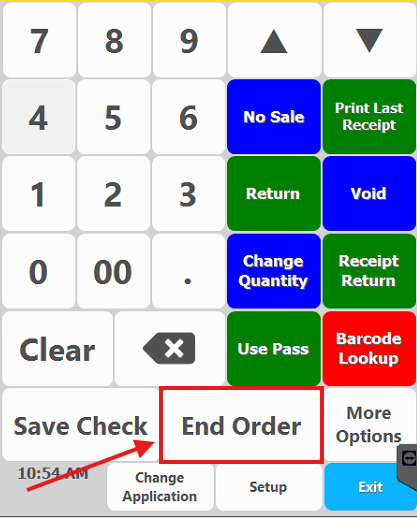
2
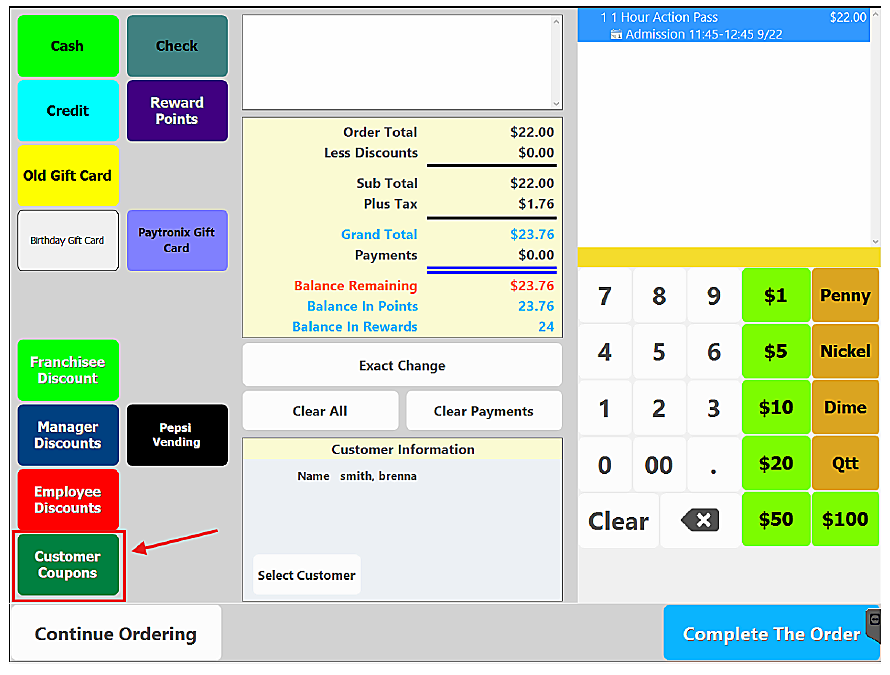
Select Customer Coupons
Open Customer Coupons to view the available Prize redemption options.
3
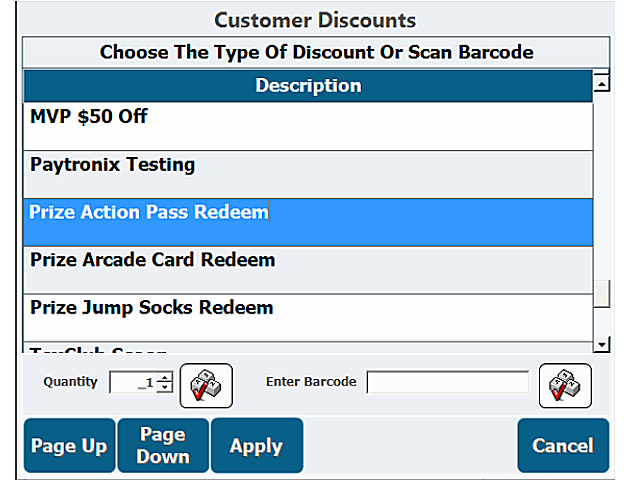
Select the Prize Coupon
Choose the Prize coupon that matches the item the guest is redeeming.
4
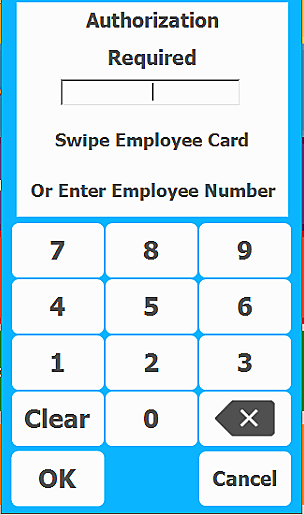
Manager Authorization
These Prize redemption coupons are configured to require Manager Authorization after the coupon is selected.
AUTHORIZED → Continue with the redemption.
Training Paused
Standard Prize Redemption · Step 3
Select the Correct Prize Coupon
30 Minute / ½ Hour + 1 Hour Action PassPrize Action Pass Redeem
30 MIN1 HOUR→ SAME COUPON
20 Credit Arcade CardPrize Arcade Card Redeem
Launch Grip SocksPrize Jump Socks Redeem
Match the coupon to the prize printed on the guest’s ticket.
After the Prize coupon is selectedAuthorize, then Apply
Manager Authorization→Apply
Take the extra second to confirm the correct Prize coupon before you apply it.
Training Paused
Standard Prize Redemption · Final Check
Verify the Prize Is $0
Final result: $0.00
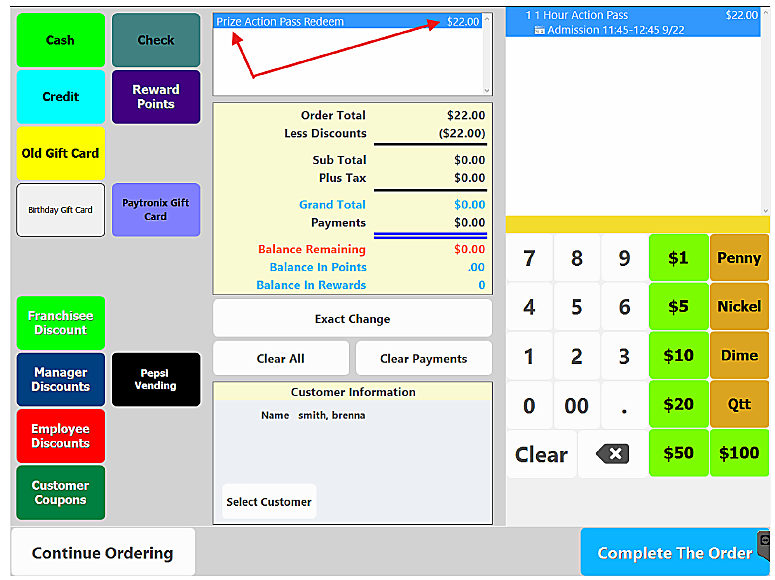
Check 1Correct prize item
Check 2Correct Prize discount
Check 3Prize reduced to $0
If it is not $0Do not complete the transaction.
Before you finishVERIFY $0
Training Paused
Special Prize Process
1 Year Free Jump Pass: Initial Setup
SELECT LOCATIONS ONLY
1
Ring Prize 1 Year Jump Pass
2
Manager Authorization
3
End Order → Complete The Order
4
Search for the guest waiver
5
Select the CORRECT guest
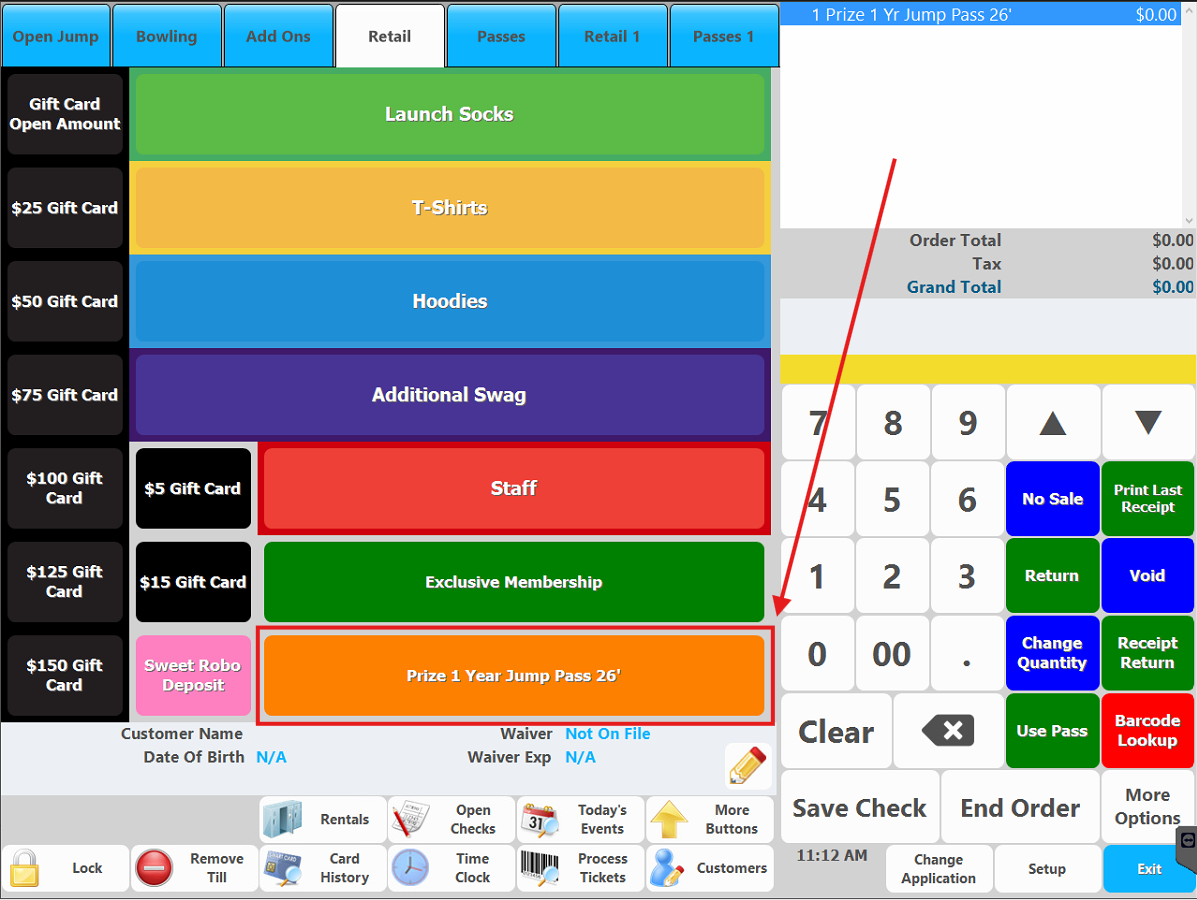
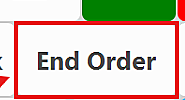
→
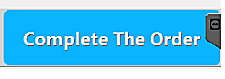
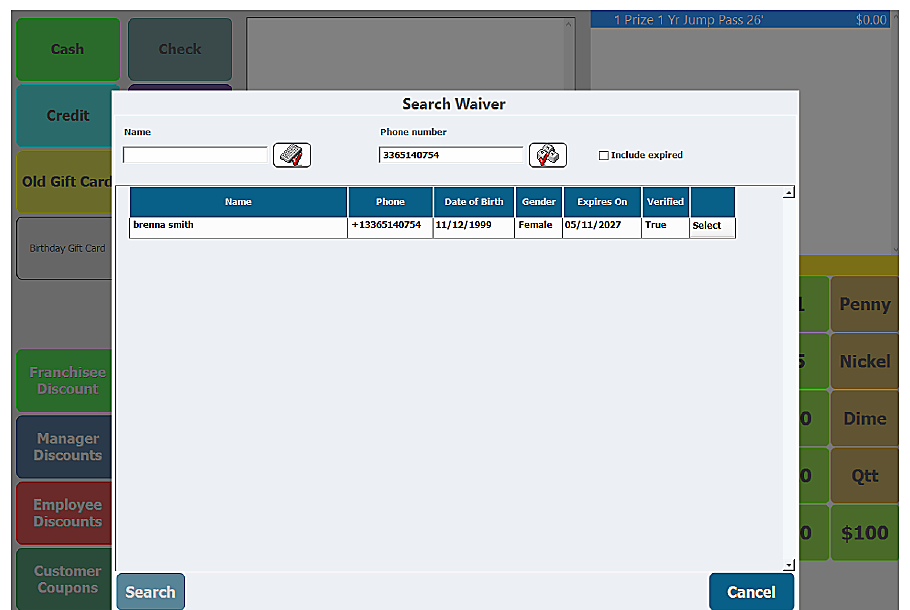
Select the CORRECT GUEST from the search results
Training Paused
1 Year Free Jump Pass
Using the Pass on Future Visits
FUTURE VISIT WORKFLOW
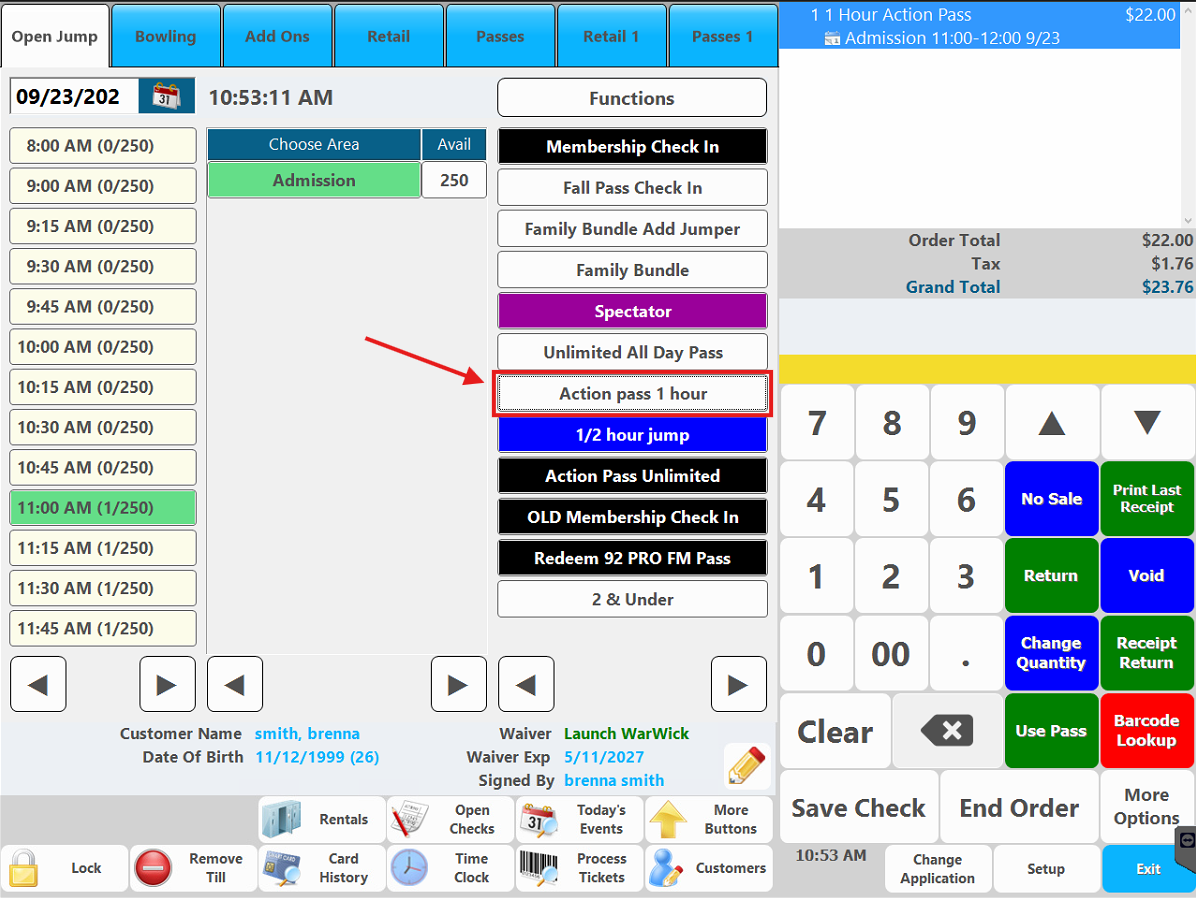
1Ring 1 Hour Action Pass
2Select guest waiver
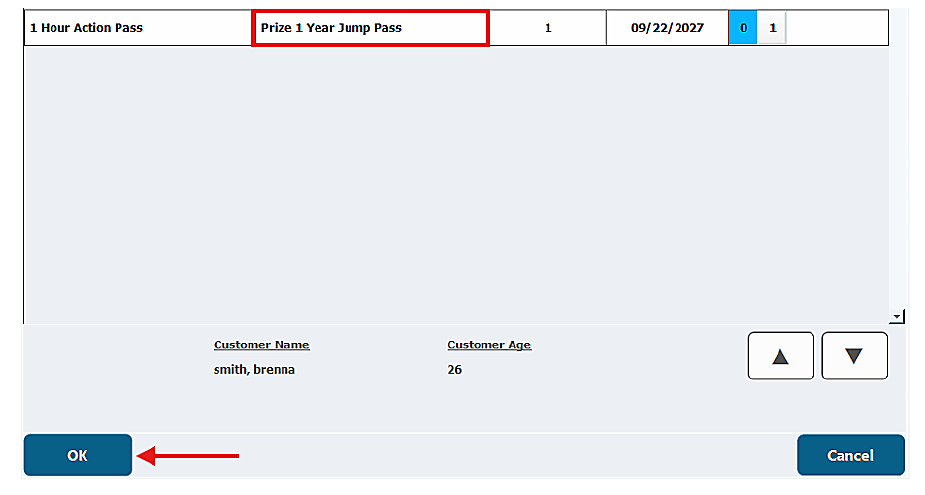
3Recognize Prize 1 Year Jump Pass
4Select pass → Click OK
5Verify $0
Before Completing the Order
Confirm all three.
GuestCorrect customer profile
Pass1 Year Jump Pass applied
AdmissionReduced to $0
Remember the Workflow
Redeem It Right. Every Time.
CORRECT GUEST
→
CORRECT PASS
→
VERIFY $0